

ATM Network
As a Community First member, you can access your money anywhere, any time - without paying fees. Learn more about our convenient ATMs and the services available to you.

FAQ
Not always. Deposited funds may not be available for immediate withdrawal, depending on the deposit type and ATM location.
Yes. The daily deposit limit is $7,000 per debit card at CO-OP ATMs.*
With your Community First debit card, you can use participating CO-OP ATMs to:
- Make cash and check deposits*
- Withdraw cash
- Transfer funds between your Community First shares* (availability may vary by location)
- Check your account balances (availability may vary by location)
A co-op ATM is an automated teller machine that is part of the CO-OP network - the world's largest credit union ATM network. These surcharge-free ATMs allow credit union members to withdraw cash, deposit cash or checks, check balances, and more common transactions without paying fees*.
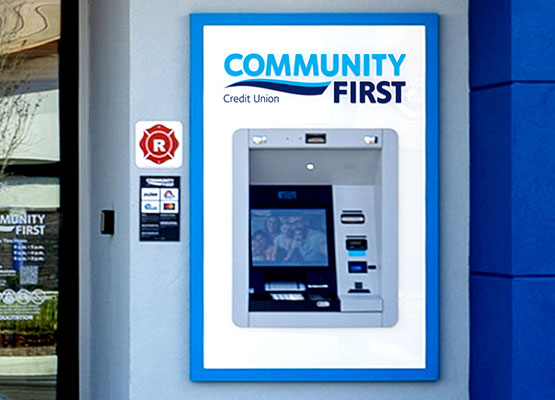
As a Community First member, you can access any Community First ATM, CO-OP ATM, or Plus Alliance ATM without paying fees*. Most of our branches have at least one ATM, while some have a walk-up and drive-thru ATM. There are also five drive-up ATMs with 24-hour access.
Also pay no fees when you use your debit card at a CO-OP ATM. Look for a CO-OP ATM in three easy ways:
- 1) Call 1-888-SITECOOP (748-3266)
- 2) Text your location (address, zip code, or city/state) to 91989 to receive nearby ATM locations. Text “more” for additional results.
- 3) Use our ATM locator and search for surcharge-free ATMs that show the red CO-OP ATM symbol.
Since your Community First debit card is a Visa® card, you can also pay no fees when you use the Plus Alliance network. These surcharge-free ATMs are available at many common stores and establishments. Visit the Visa® locator to find an ATM.
Yes, you can make cash deposits at CO-OP ATMs*.
You can make sure you're using a surcharge-free CO-OP ATM by looking for the CO-OP symbol on signage above or near the ATM. (Some machines may also have this information on the welcome screen.)