


Credit Card Tools


Merchant participation and update timing may vary. Some merchants may still require you to update your card information directly.
Payment Control Made Simple with Card on File
Recurring Payments
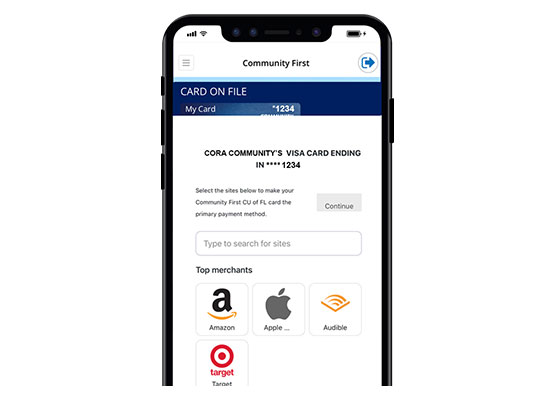
Shows where your card is saved for subscriptions or recurring payments, so you can easily track ongoing charges.
Know Where Your Card is Saved
Review participating merchants where your card is stored and see where it’s used for future payments.
Other great credit card tools
- Enroll and access credit card eStatements.
- Manage multiple credit cards from one place.
- Set up new alerts and controls for more control over your spending.
- View transaction history, including pending and posted transactions.
- Dispute a transaction. Initiate a transaction dispute right from the transaction history page.
- Make a Payment. Enjoy the ability to make credit card payments from your Community First checking account or a checking account at another financial institution.
- Report a card lost or stolen.
- Complete a balance consolidation.
FAQs
Card on File is available for Community First Visa® credit cards. Debit cards are not included.
No. Card on File works with participating merchants. Merchant participation and update timing can vary, and not all merchants support automatic updates.
After you enroll, you can choose which merchants may receive updated card information when your card is replaced or reissued. Participating merchants can then update your saved payment information without requiring you to re‑enter your card details. Some merchants may still require you to update your card information directly.
You would use Card on File if you have recurring payments or subscriptions, such as streaming services, online retailers, or delivery services where your credit card is saved as the primary payment method.
Card on File can help reduce declined transactions for recurring payments when your credit card is replaced, reissued, or updated. It gives you an easier way to manage where your card is saved for subscriptions and recurring bills.
Not always. While Card on File can help reduce payment interruptions, some merchants may still require you to manually update your card information.